
404 / Maintenance / Cookies Settings
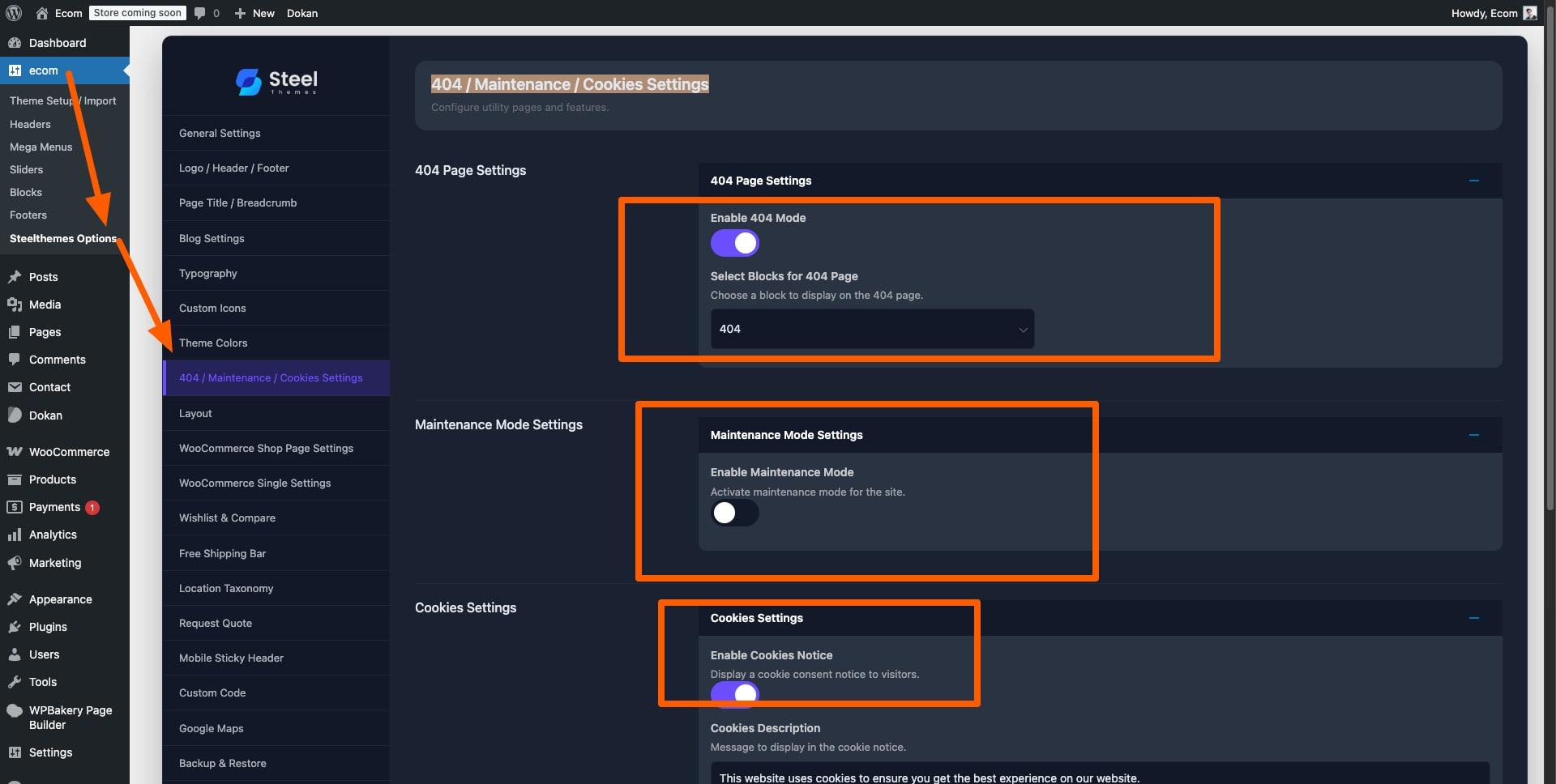
Path: Ecom → Steeltheme Options → 404 / Maintenance / Cookies Settings
404 Page Settings
Customize your site’s “Page Not Found” experience:
- Navigate to:
Ecom → Steeltheme Options → 404 / Maintenance / Cookies Settings - Select Block for 404 Page:
Use the “Select Blocks for 404” dropdown to choose from your available blocks. - The selected block will be displayed when visitors encounter a 404 error.
Maintenance Mode Settings
Temporarily restrict access to your site while performing updates:
- Navigate to:
Ecom → Steeltheme Options → 404 / Maintenance / Cookies Settings - Configure the following options:
- Enable Maintenance Mode: Toggle this checkbox to activate/deactivate maintenance mode.
- Select Blocks for Maintenance Mode: Choose the block to display during maintenance (only visible when maintenance mode is enabled).
Cookies Settings
Control cookie notification display for user compliance:
- Navigate to:
Ecom → Steeltheme Options → 404 / Maintenance / Cookies Settings - Configure Cookie Bar Settings:
- Enable Cookies Notice: Toggle to show or hide the cookies notification.
- Custom Message: Enter the text to display in the cookie notice.
- Accept Button Label: Customize the label of the accept button.
- Learn More Link: Optionally include a link to your privacy or cookie policy page.
Leave a Reply