Product details page not showing , instead it is showing “Great thing are on the horizon” message.
- Login to Your WordPress Dashboard
- Navigate to your WordPress admin panel by entering this URL in your browser:
mysite.com/wp-admin
- Use your admin credentials to log in.
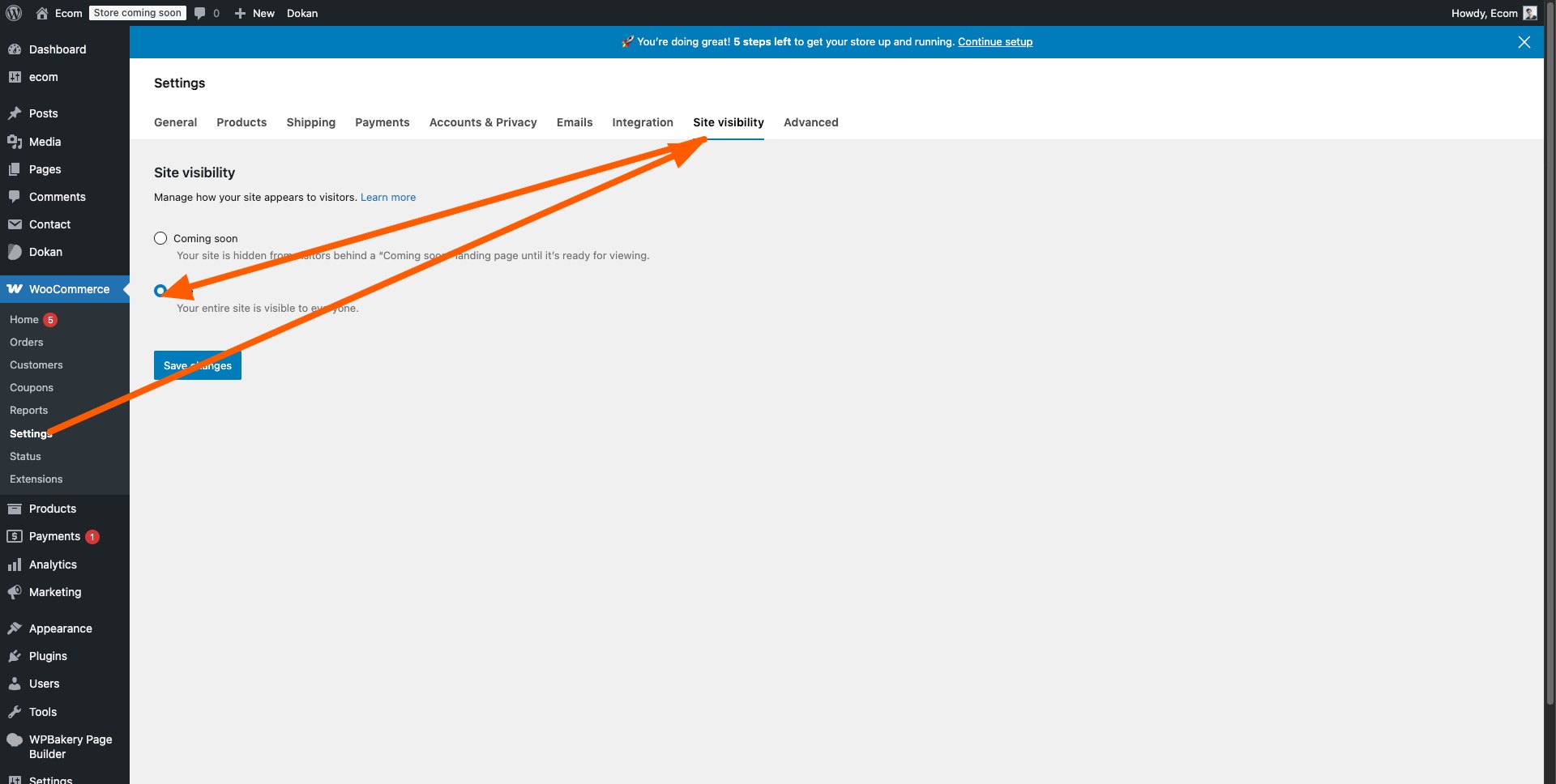
- Go to the WooCommerce Settings
- In the left-hand menu of your WordPress dashboard, click on WooCommerce.
- This will take you to the WooCommerce settings where you can manage your store’s configuration.
- Click on Site Visibility
- Once in WooCommerce settings, find the tab labeled Site Visibility. This is where you can manage how your site is displayed to the public.
- Check the Box “Live”
- Ensure that the option marked “Live” is selected. This will make your store visible to the public.
- After you’ve selected this option, make sure to click Save Changes.
- Your Store is Now Live!
- That’s it! Your WooCommerce store is now live and ready for customers. No more “Great things are on the horizon” error.
⇧

Leave a Reply